Best X-Ray Camera Apps in 2026
You’re looking for the best X-ray camera app, but the App Store is full of look-alikes, and some are pranks with 1-star ratings. This guide shows how four popular X-ray effect apps differ, so you can pick the right one.
Written by XRayly Team6 min readUpdated

We compared four apps on three things: whether the effect works on a photo or live on your camera, which looks you get, and what it costs.
Updated October 26, 2026. Prices, ratings and features come from each app’s US App Store page on that date. Prices change often, so check the store page before you pay.
The best X-ray camera app depends on what you want to make. X-Ray Camera turns one photo into an X-ray look, X-RayVision adds sci-fi styles like Hologram, and X-Ray Scanner FX is a free live filter. XRayly does X-ray photos plus thermal, night vision, neon and ghost looks, and records videos with live effects.
What Makes One X-Ray Camera App Different From Another
All four apps give you an X-ray look for fun; none of them takes a real X-ray. They differ in three ways.
Photo effect or live filter. Some apps use AI to turn a photo into an X-ray picture, which takes a few seconds. Others put a filter on your camera in real time, so you see the look as you move.
Which looks you get. Some apps only do X-ray. Others add looks like thermal, night vision or glowing neon, so you can try several on the same photo.
How you pay. Most of these apps sell weekly and yearly plans, and one is free. Weekly plans run from $4.99 to $6.99, and yearly plans from $19.99 to $44.99.
X-Ray Camera App Pricing in 2026
All four apps are free to download on iPhone. What you get for free is different for each.
| App | Free tier | Paid plans |
|---|---|---|
| X-Ray Camera | 1 free X-ray scan | Weekly $6.99, yearly $44.99 |
| X-RayVision | Free app, premium styles paid | Weekly $4.99, yearly $19.99, Pro Version $29.99 |
| X-Ray Scanner FX | Free, no in-app purchases listed | None |
| XRayly | Limited free credits | Weekly Pro $4.99, Annual Pro $34.99 |
For most people, the deciding columns are the free tier, which favors X-Ray Scanner FX, and the yearly price, which ranges from $19.99 to $44.99.
X-Ray Camera: The Most-Reviewed Pick
X-Ray Camera, by Nicolas Gustavo Melian, has the most ratings of the apps here: 4.3 from about 490 App Store ratings. You take or pick a photo, tap scan, and AI turns it into an X-ray style image with thermal heat-map colors. It does one look, on photos only.
You get 1 free scan, then plans cost $6.99 a week or $44.99 a year, the highest here.
Choose it if: you only want the X-ray look on a photo and prefer the app with the most reviews.
X-RayVision: The Most Styles Pick
X-RayVision: AI Photo Filter has been on the App Store since 2017 and offers six AI photo styles: Skeleton, Thermal, Night Vision, UV Glow, Cyborg and Hologram. Its listing says uploaded photos are processed only to make your effect and aren’t permanently stored.
Its yearly plan is the cheapest here at $19.99, with a $4.99 weekly plan and a $29.99 Pro Version. The catch most lists skip: it has a 2.3 rating from about 440 ratings, so read recent reviews before you pay.
Choose it if: you want sci-fi styles like Cyborg or Hologram and the lowest yearly price.
X-Ray Scanner FX: The Free Live Filter Pick
X-Ray Scanner FX is a camera app with X-ray style filters in real time, so you see the look as you point your phone. It’s free, and its App Store page lists no in-app purchases. It has a 3.7 rating from about 60 ratings.
There’s no record button in the app. To save a video, its listing tells you to use iPhone’s built-in screen recording.
Choose it if: you want a free, live X-ray filter and don’t mind screen recording to save it.
XRayly: The Photo and Video Pick
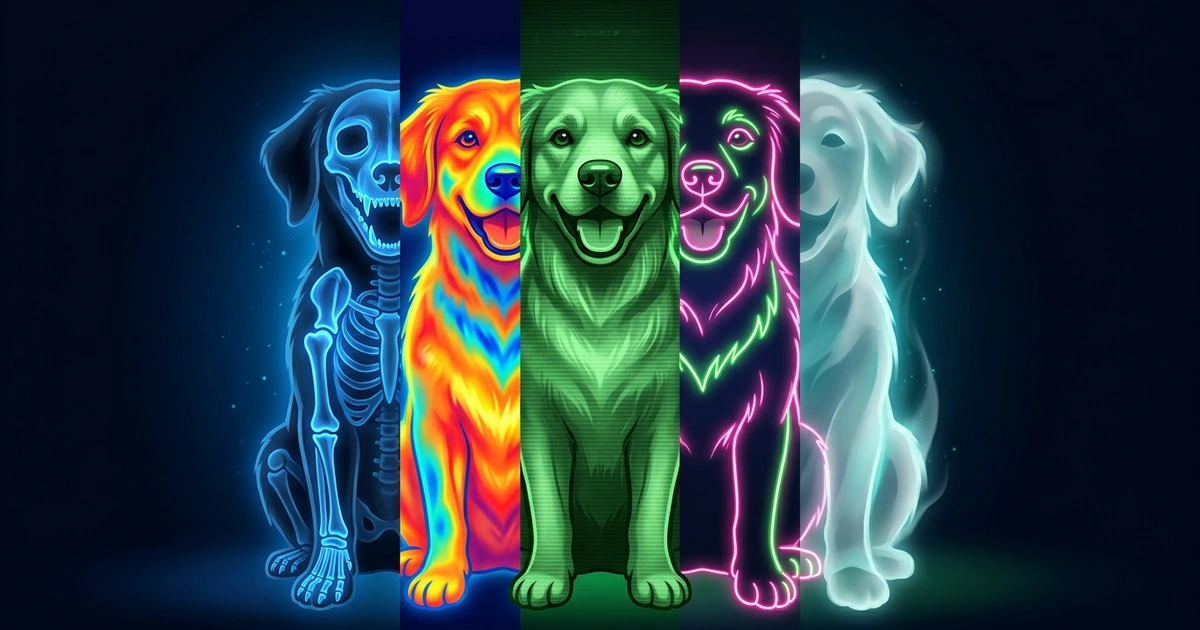
XRayly does more than X-ray. Its five photo effects, X-Ray, Thermal, Night Vision, Neon and Ghost Vision, turn a photo into a new look in seconds, and Try another effect puts a different one on the same photo. Live Effects shows six looks on your camera in real time and records videos of up to 30 seconds.
It’s free to try with limited free credits, and Pro costs $4.99 a week or $34.99 a year. It’s the only app here that has both photo effects and video effects. Like every app here, XRayly creates an artistic look; it doesn’t take real X-rays.
Choose it if: you want X-ray plus other looks, on photos and videos, in one app.
Which X-Ray Camera App Is Right for You?
Find the row that sounds like you.
| If you… | Best pick | Why |
|---|---|---|
| Want X-ray plus thermal, night vision or neon | XRayly | Five photo effects to try on the same photo |
| Want to record videos with an effect | XRayly | Live Effects records clips of up to 30 seconds |
| Only want the X-ray look on a photo | X-Ray Camera | The most-reviewed app that does just X-ray |
| Want a free live X-ray filter | X-Ray Scanner FX | Free, with no in-app purchases listed |
For most people, the deciding rows are photo or video, and how many looks you want.
Where XRayly Fits In
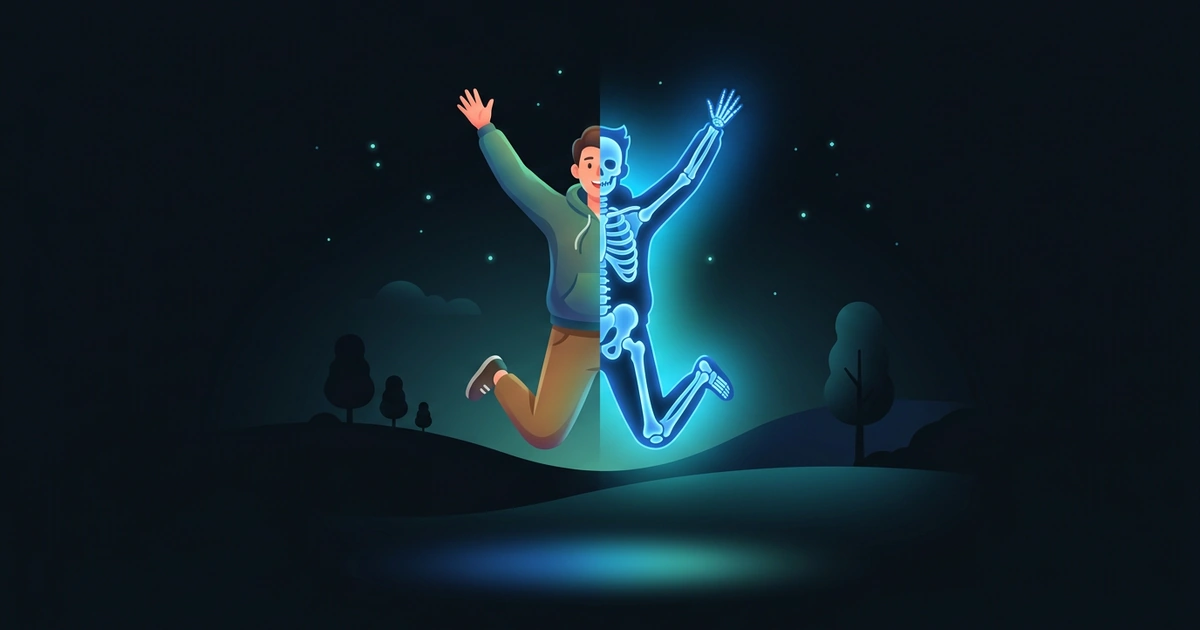
XRayly fits best when you want more than one X-ray picture. Pick a photo where you’re jumping, dancing or striking a pose, choose X-Ray, and in seconds it turns blue and glowing with bones drawn in. Not sure X-Ray is the look? Tap Try another effect to see the same photo in Thermal, Neon or Ghost Vision, and keep your favorite.
When a photo isn’t enough, switch to Live Effects and watch Night Vision, Thermal or Neon on your camera as you move. Record a clip of up to 30 seconds in a tall 9:16 frame for TikTok or Reels, then save it or share it right away.
Frequently Asked Questions
Do X-ray camera apps really work?
They work as effects, not as real X-rays. A phone has no way to take an X-ray, so every X-ray camera app draws an X-ray style look onto your photo or camera view. The bones and glow you see are made up by the app, not found inside the person or object.
Is there a free X-ray camera app?
Yes. X-Ray Scanner FX is free, and its App Store page lists no in-app purchases. X-Ray Camera gives you 1 free scan, and XRayly is free to try with limited free credits. Prices were checked on October 26, 2026.
See your world differently
Download XRayly, try X-Ray, Thermal, and Night Vision on your own photos, and find your favorite style.