How to choose a photo
You do not need a professional photo to have fun with XRayly. Start with a shot where your subject is easy to see, then let the effect give it a new look.
Written by XRayly2 min readUpdated
Keep your subject easy to see
A sharp photo with clear lighting and useful framing is a good place to start.
Choose a photo where the person, pet, or other subject stands out from the background. Avoid shots where the main subject is tiny, hidden, or cut off.
If you want to try an effect on a pose, keep the parts that make it interesting in the frame. Raised arms, a jump, or a playful expression can give you something fun to work with.

Start with clear lighting
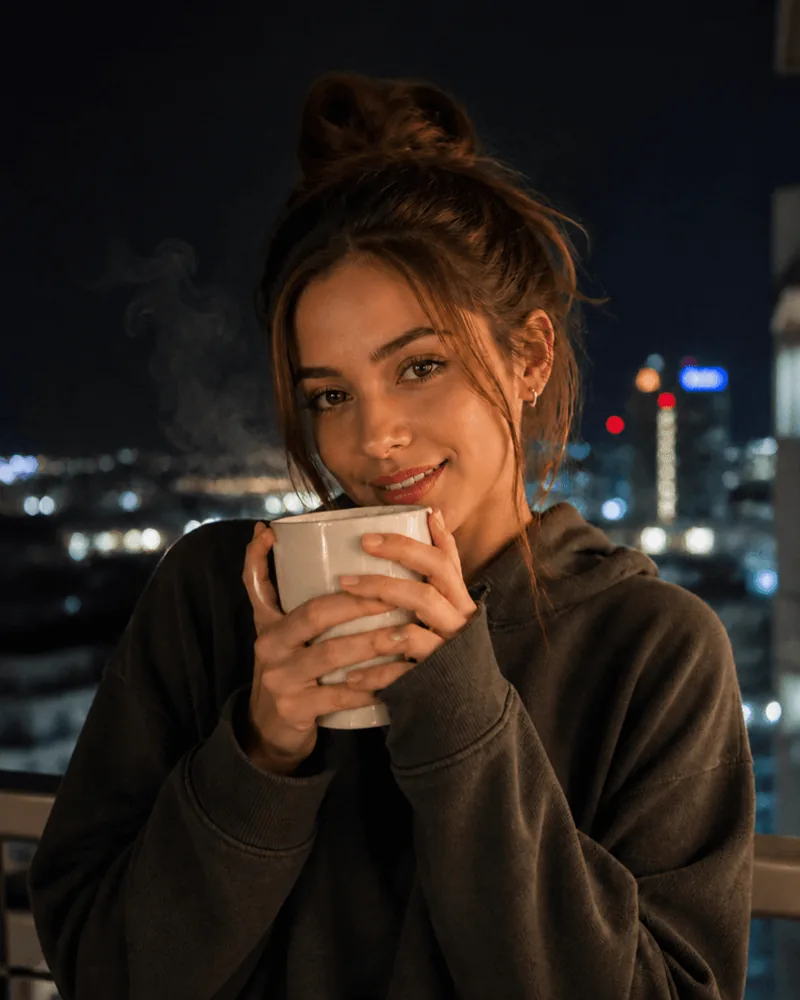
Choose a photo where you can see the details of your subject. Soft daylight or an evenly lit room is a useful starting point. Very dark areas and harsh glare can hide details.
Night Vision does not need a photo taken in darkness. Start with a clear shot and let the effect add its green, after-dark look.
Avoid blur and heavy filters
Use a sharp original photo when you can. Motion blur and heavily compressed screenshots can make faces, edges, and small details harder to recognize.
Start without strong beauty filters or previous effects. That gives XRayly a clear photo to work from and leaves more room for the style you choose.
Frame the photo before you continue
Use the crop step to decide what you want to include. A closer crop can put the focus on a face, while a wider crop can keep a pose or more of the setting.
Check the edges before continuing. Keep hands, ears, and other details in the frame when they are part of the look you want.
A quick check before you start
- Can I see the main subject clearly?
- Is the photo sharp enough to show useful details?
- Does the crop include the parts I want in the result?
- Am I starting with a photo without a heavy filter?
Try another photo if needed
If the result is not the look you had in mind, try a clearer shot or a different crop. You can also try another effect: a photo that feels playful in Neon might look more atmospheric in Ghost Vision.
See your world differently
Download XRayly, try X-Ray, Thermal, and Night Vision on your own photos, and find your favorite style.

